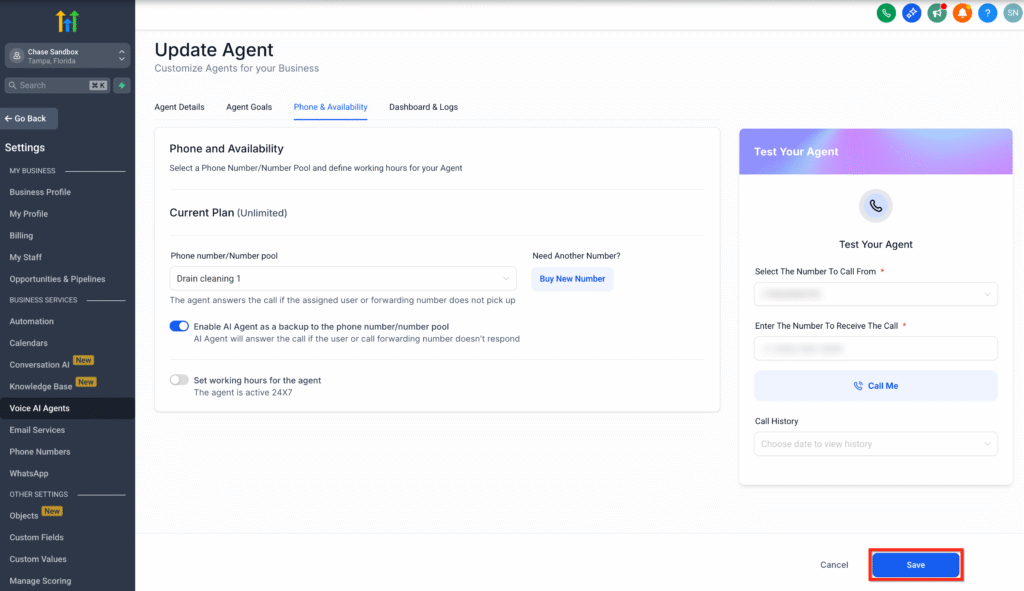
We now support assigning a Number Pool, a collection of multiple phone numbers to your AI Agents. Calls to any number in the pool will route dynamically based on your agent’s configuration.
Important: Ensure you have at least one Number Pool created in order to use this feature.
Key Benefits of Number Pool Support #
- Single-Agent Efficiency: Handle calls to multiple numbers with one agent, reducing the need to create and manage separate agents.
- Streamlined Workflow: Centralizes call routing, simplifying operations and minimizing redundancy.
How to Assign a Number Pool to a Voice AI Agent #
Step 1: Access Voice AI Agent Settings #
- Log in to your SalesKaki account.
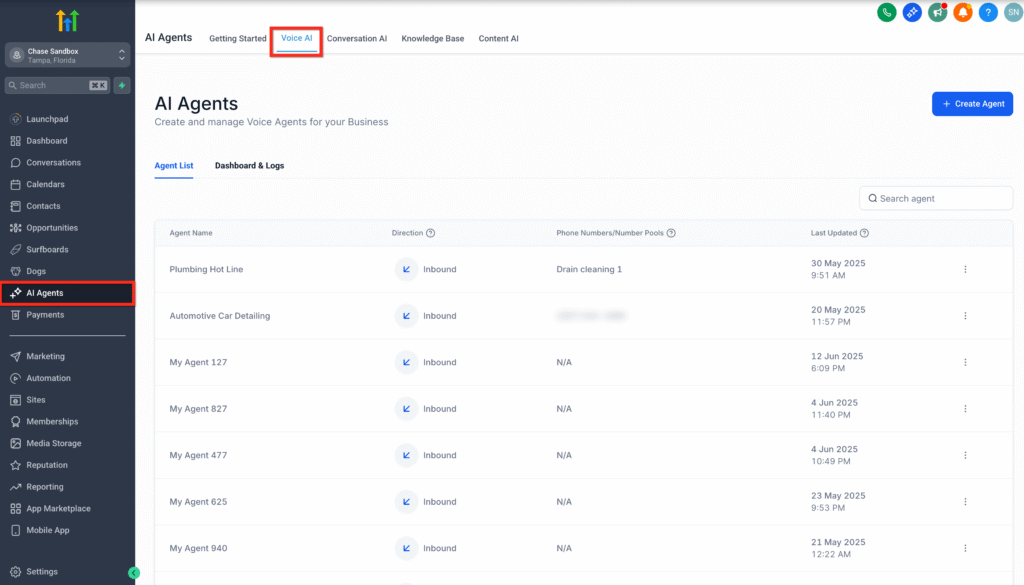
- From the left-hand menu, click on AI Agents.
- In the top navigation bar, select Voice AI.
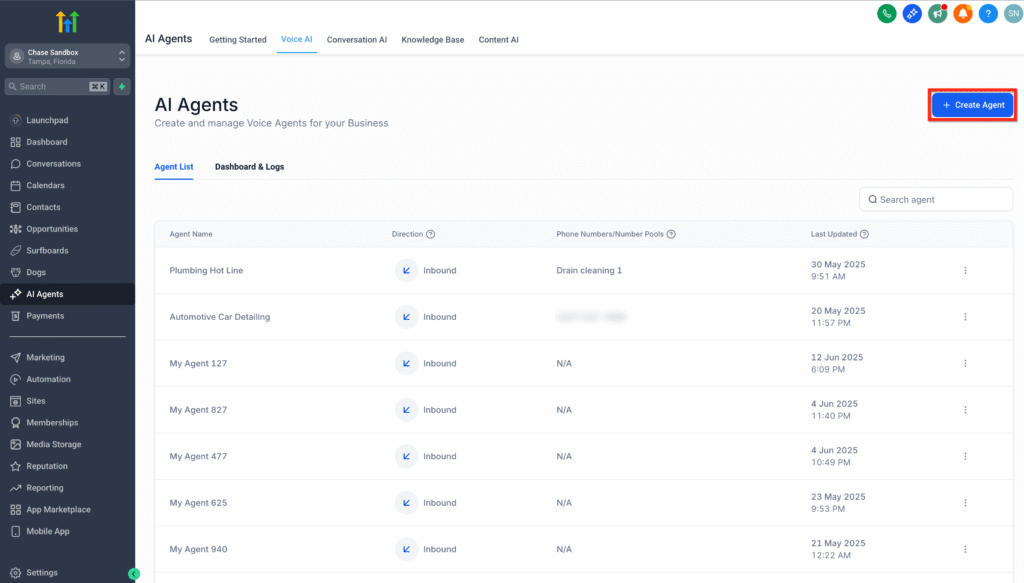
Step 2: Choose or Create a Voice AI Agent #
- Click on + Create Agent to make a new agent, or
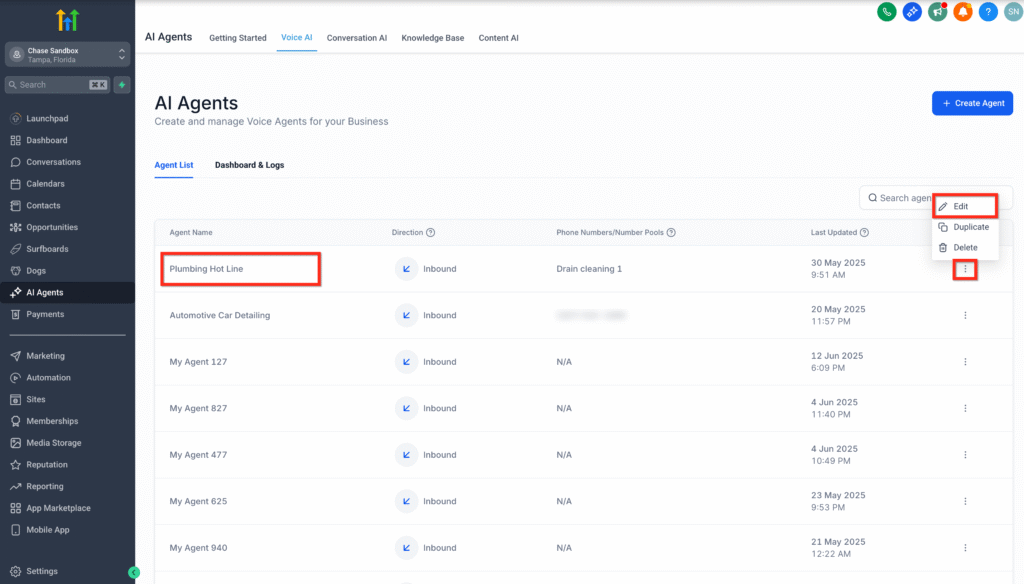
2. Choose an existing one from your Agent List:
- Click directly on the agent’s name, or
- Click the three-dot menu next to the agent and select Edit.
Step 3: Open the Phone & Availability Tab #
- Inside the agent editor, click on the Phone & Availability tab.
- Locate the section labeled Phone Number / Number Pool.
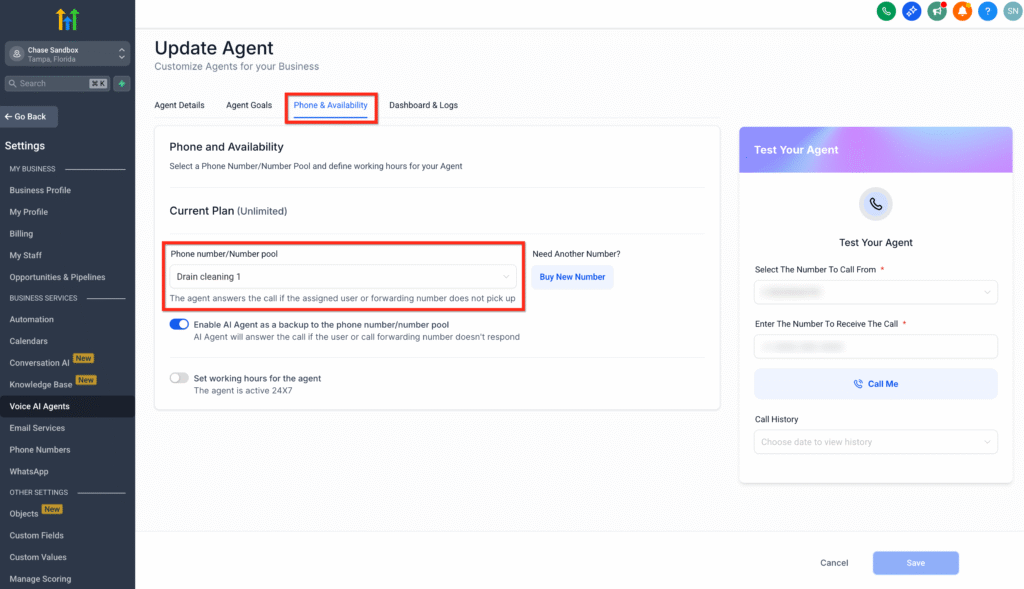
Step 4: Assign a Number Pool #
- Click on the Phone Number / Number Pool dropdown.
- Select the Number Pool you want to assign to this Voice AI Agent.
- Only pre-created number pools will appear in the list.
- You must create a number pool before this step if none exist.
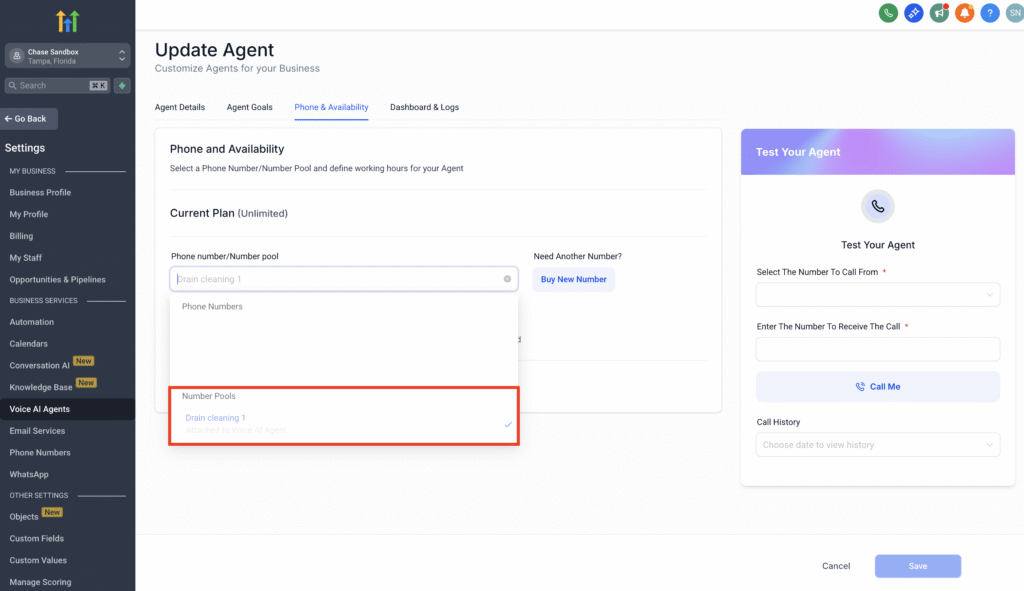
Step 5: Save the Configuration #
- After selecting the desired number pool, click the Save button.
- Your selected number pool is now successfully assigned to the agent.