
For teams with members across various time zones, personalize your dashboard experience with the Timezone Switcher. Users can manage and update time zones for the dashboards they view based on their preferences.
Step 1: Open any dashboard (private or shared) #
Step 2: Click on the 3-dot menu #
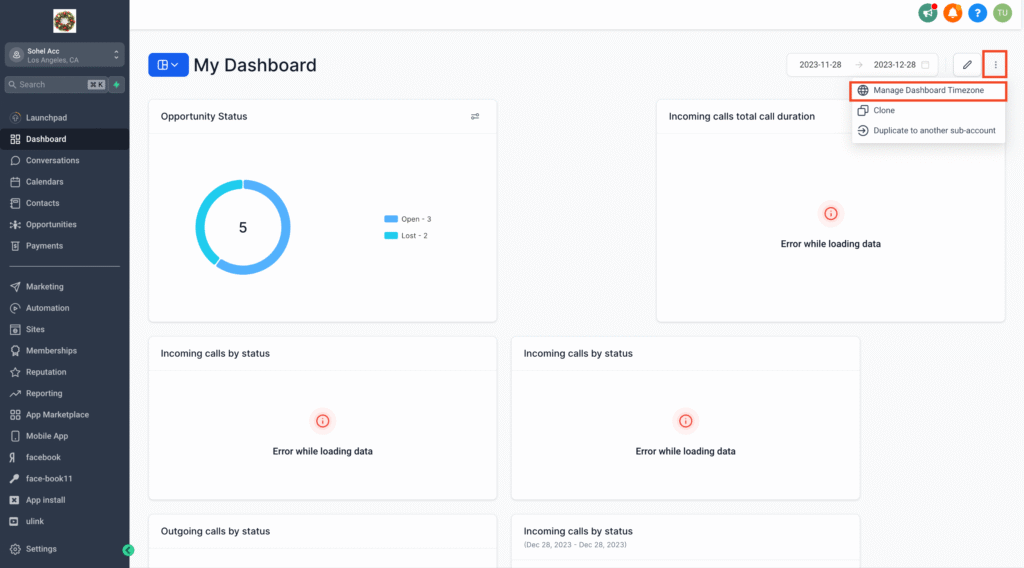
Step 3: Choose “Manage Dashboard Timezone” #
Step 4: Select your desired timezone #
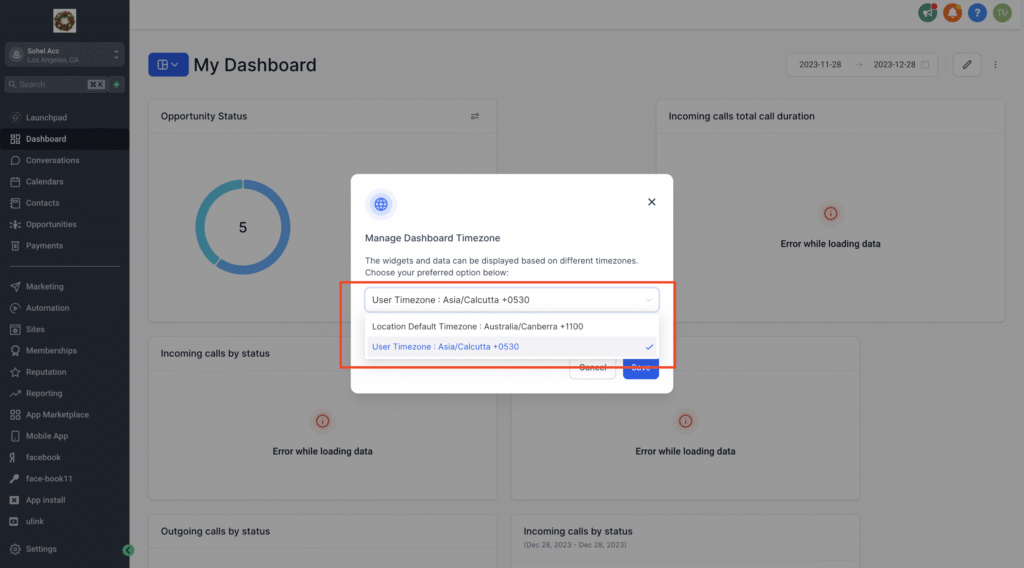
Step 5: Save your changes #
Note: #
The selected timezone will be applied to all dashboards you view. This feature is available across all plans and roles, allowing anyone with dashboard access to tailor the timezone for their view. Enhance your dashboard experience and stay efficient!

