Efficiently reuse your existing dashboards and save valuable time by leveraging the cloning feature. This guide will walk you through the steps to successfully clone a dashboard.
Dashboard Clone #
Step 1: Open A Dashboard #
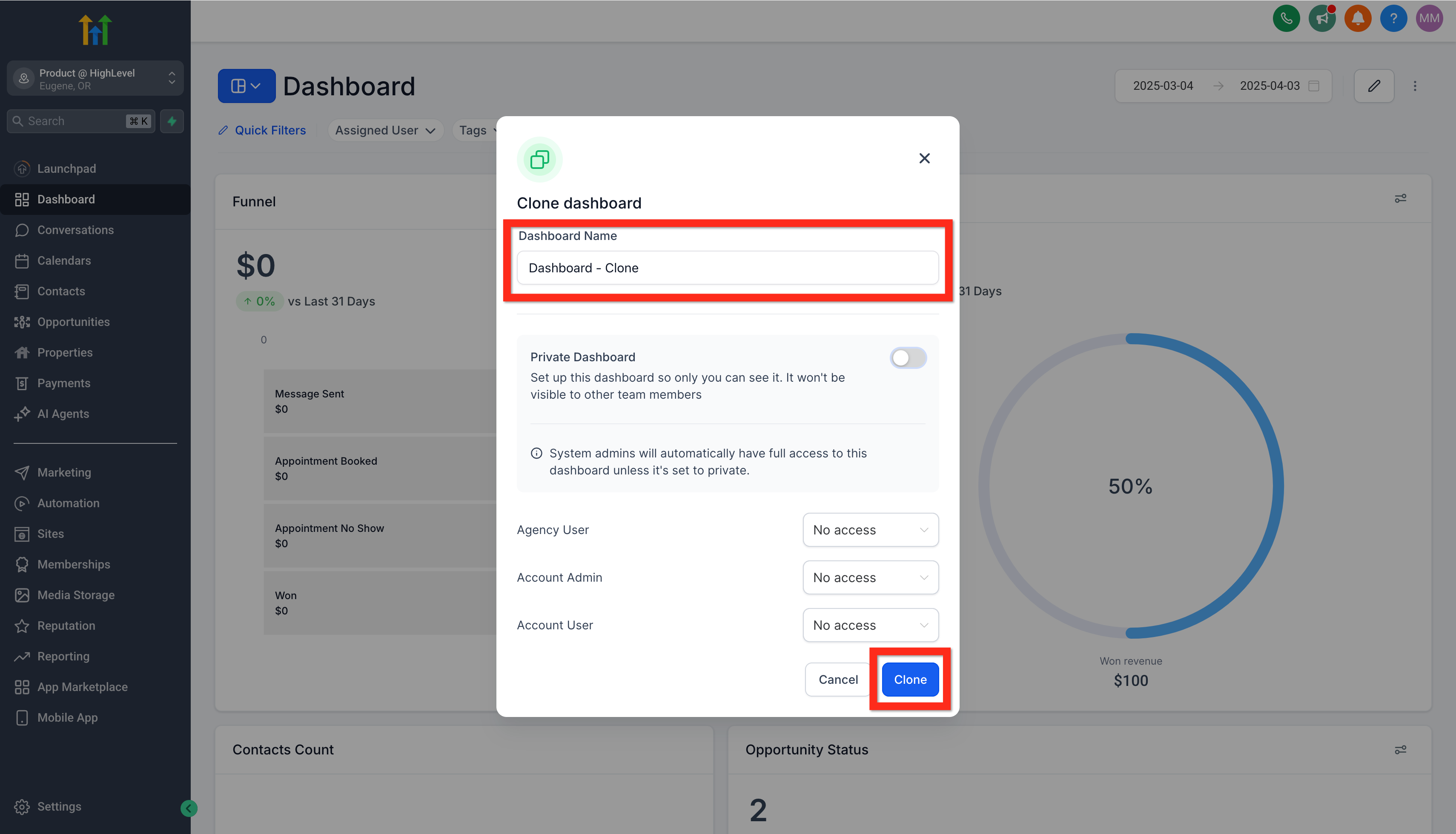
Navigate to Subaccount > Dashboard and click on the dashboard selection menu. Search or browse for your target dashboard. Select it to open for viewing and editing.
Step 2: Clone The Dashboard #
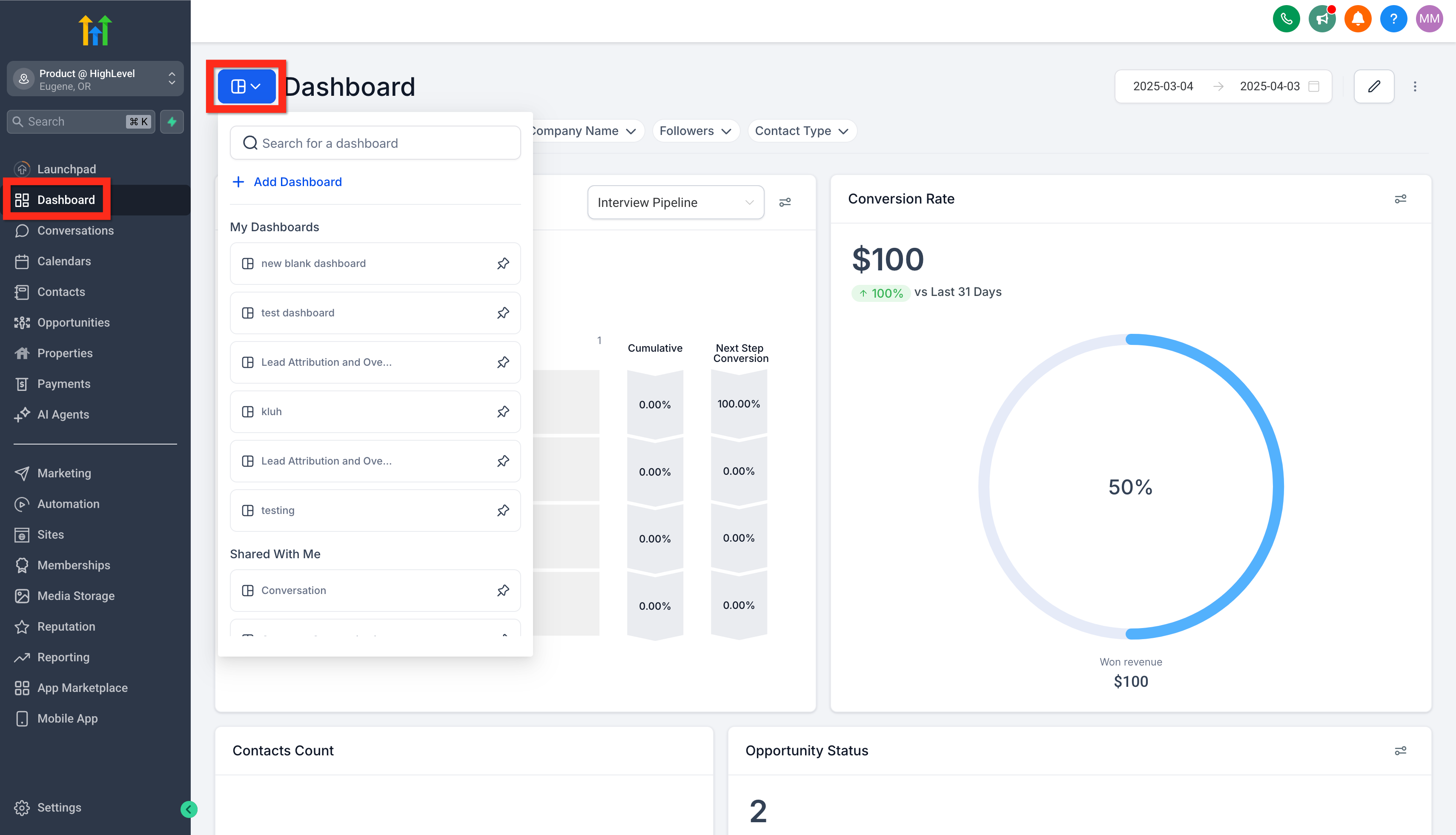
On the original-dashboard, click the action menu (3 dots) and click the clone button.
Step 3: Configure and Save Dashboard Clone #
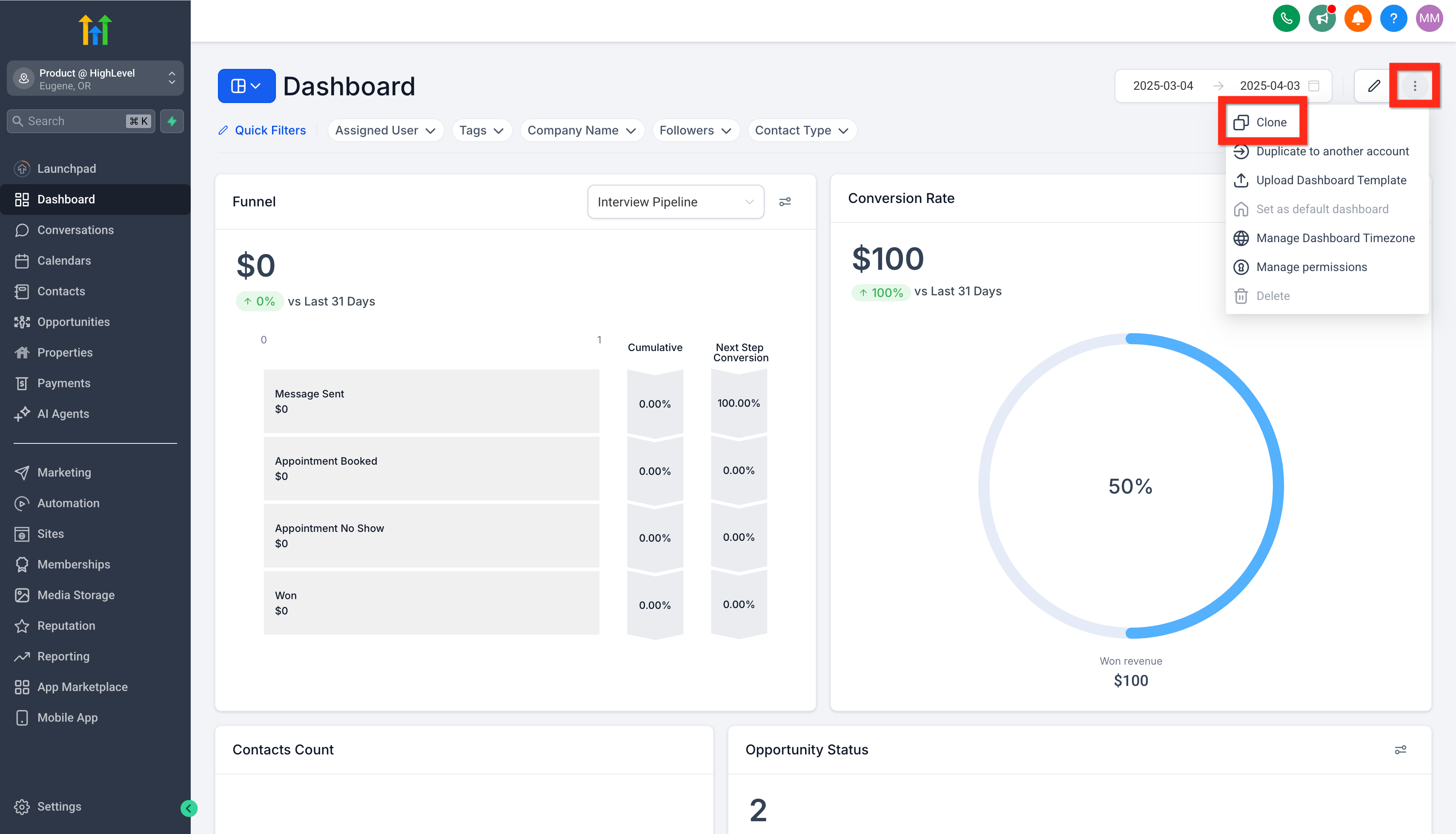
In the Clone Dashboard modal, write the cloned-dashboard title, set the dashboard’s privacy/access permissions, then click the Clone button. This will create the new cloned-dashboard with the appropriate settings.