
What is the Funnel Creation Agent in Ask AI? #
The Funnel Creation Agent is an AI-powered assistant within SalesKaki’s Ask AI platform, designed to help users create professional, high-converting funnels with minimal effort. By leveraging smart automation, pre-built templates, and intelligent Q&A, the Funnel Agent guides you through the funnel-building process, allowing you to focus on your business goals rather than technical setup.
Key Benefits of Funnel Creation Agent #
Unlock the advantages of using the Funnel Creation Agent to accelerate your marketing and sales workflows:
- Rapid Funnel Generation: Instantly create funnels by simply asking the AI to “Generate me a funnel.”
- Pre-Built Templates: Choose from ready-to-use templates tailored for common use cases.
- AI-Guided Setup: Benefit from context-aware, guided questions and intelligent suggestions to customize your funnel.
- Effortless Image Handling: Upload your own images or automatically pull assets from your connected Google Business Profile.
- Brand Personalization: Instantly match funnel colors to your brand and generate on-brand content using your Brand Voice.
- Native Integrations: Seamlessly connect calendars, static forms, and reviews API for a unified experience.
- Instant Builder & Preview Links: Receive direct links to your funnel builder and page previews for immediate review and launch.
How To Use Funnel Creation Agent in Ask AI #
Setting up the Funnel Creation Agent is straightforward and ensures your funnel is tailored to your brand and business needs. Proper setup maximizes the effectiveness of AI-driven funnel creation and personalization.
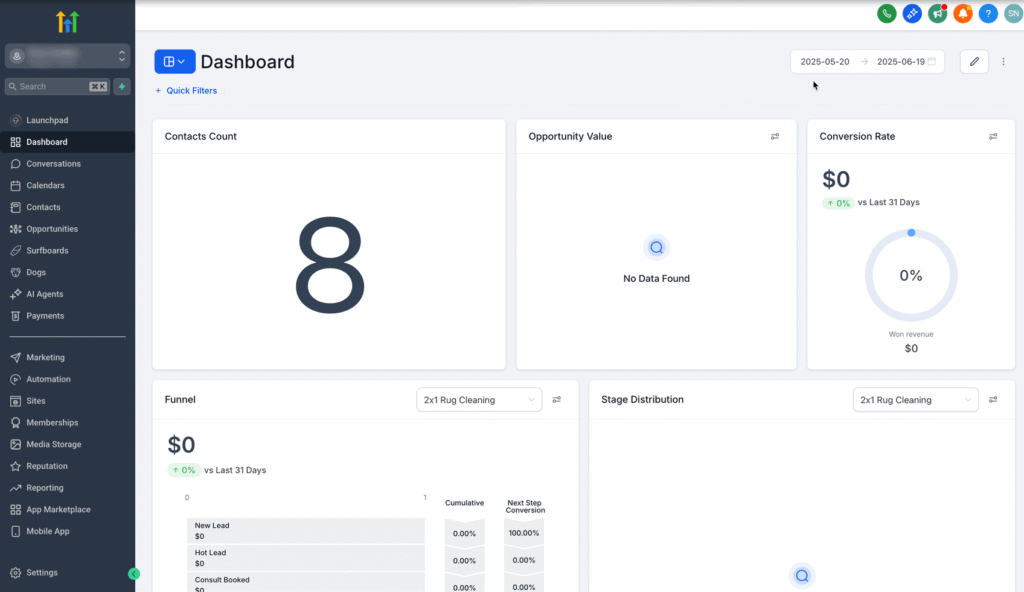
Step 1: Launch the Funnel Generator in Ask AI #
- Log in to your SalesKaki account.
- Click the Ask AI button in the top-right navigation bar.
- Choose one of the following:
- Click Generate Funnel directly from the Ask AI interface.
- Or type Generate a funnel into the Ask Anything input box.
Step 2: Select a Funnel Type #
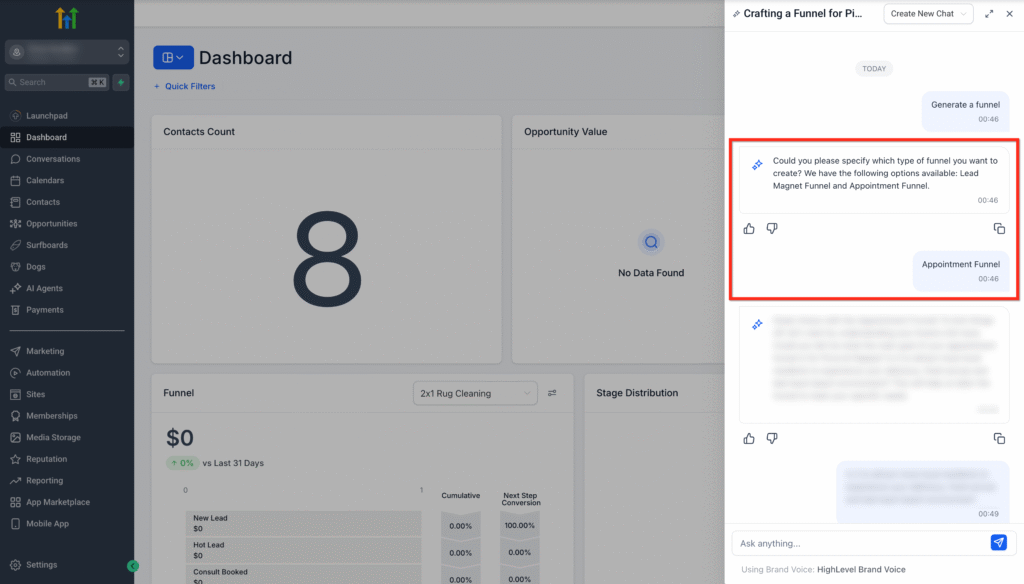
- Ask AI will present available funnel types that are currently available:
- Lead Magnet Funnel
- Appointment Funnel
- Select the one that fits your needs.
Step 3: Answer Smart Q&A #
- Respond to the AI’s guided, context-aware questions to help personalize your funnel.

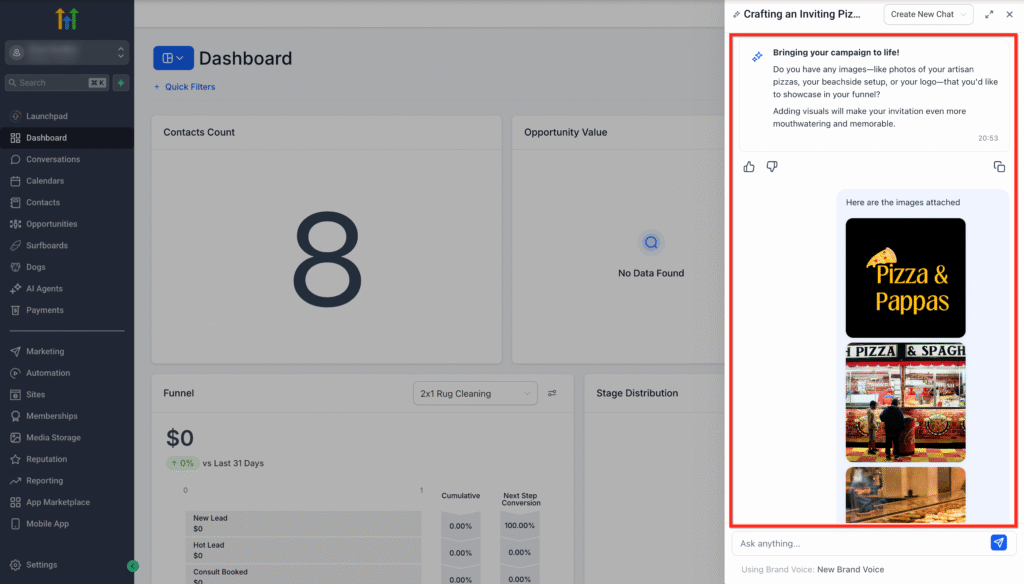
Step 4: Upload Images and Logo #
- Upload product images, brand assets, and logo.
- If your Google My Business (GMB) profile is connected, images may be fetched automatically.
- Ensure you use authentic brand visuals for the best results.
Step 5: Personalize Your Funnel #
- Select a Color Theme to match your brand.
- If you have a Brand Voice set up, the AI will use it to generate consistent, on-brand content.

Step 6: Review and Access Your Funnel #
Once inputs are completed:
- Ask AI will generate a funnel as per the use case and conversation.
- You’ll receive:
- A Builder link (for direct editing).
- Preview links for each funnel page.
Blank Image
Template Selection and Expansion #
Selecting the right template is crucial for aligning your funnel with your campaign goals. The Funnel Agent currently offers two core templates, with more on the way.
- Browse available templates and preview layouts.
- Templates are designed for high conversion and easy customization.
- Stay tuned for future template releases to expand your options.
Google Business Profile (GBP) Image Integration #
Connecting your Google Business Profile allows the AI to automatically pull your business images, saving time and ensuring brand consistency.
- Connect your GBP in SalesKaki settings.
- The Funnel Agent will fetch available images for use in your funnel.
- Easily override with manual uploads if desired.
Brand Voice Personalization #
Consistent messaging is key to effective funnels. The Funnel Agent leverages your Brand Voice (if set up) to ensure all generated content matches your brand’s tone and style.
- Set up your Brand Voice in SalesKaki.
- The AI will use this profile to auto-generate headlines, descriptions, and calls-to-action.
Native Integrations: Calendars, Forms, and Reviews #
Integrate essential tools directly into your funnel for a seamless customer journey.
- Add calendar booking widgets to capture appointments.
- Embed static forms for lead capture or feedback.
- Display reviews using the Reviews API to build trust.
Frequently Asked Questions #
Q: Can I customize the funnel after it’s generated by the Funnel Agent?
Yes, you receive a Builder Link to further edit and fine-tune your funnel as needed.
Q: What if I don’t have a Google Business Profile connected?
You can manually upload your own images during the funnel setup process.
Q: How many templates are currently available?
The Funnel Agent currently offers two core templates.
Q: How does the AI use my Brand Voice?
If you have a Brand Voice profile set up in SalesKaki, the AI will generate funnel content that matches your brand’s tone and messaging.
Q: Can I use the Funnel Agent for multiple businesses or brands?
Yes, simply initiate the funnel creation process for each business or brand profile within your SalesKaki account.

