
The option to resell Ad Manager with SaaS plans as an add on is now available inside the SaaS Configurator. Addition of Ad Manager as a bundle add on along with other reselling products as part of the SaaS offering further strengthens the value proposition.
How can Ad Manager be included in the SaaS plan? #
Inside the SaaS Configurator, agencies can select the add on products they want to offer with their SaaS plans to their customers by:
- Under the Plans and Pricing tab of SaaS Configurator, we see a list of all the plans created by the agency.
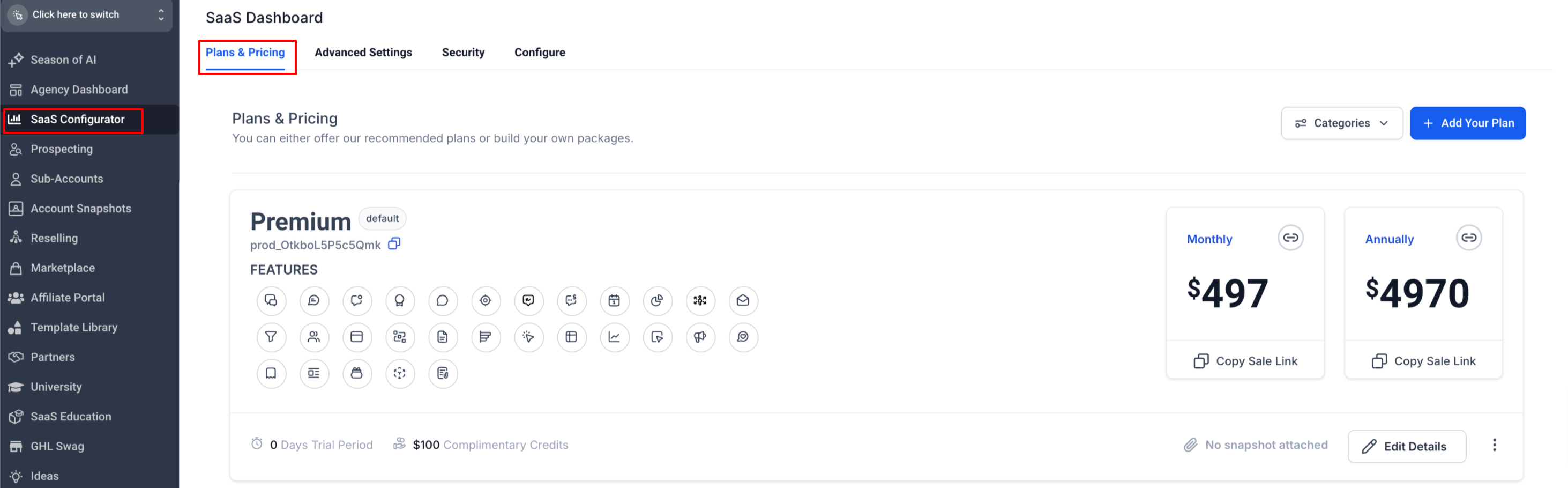
- Click on ‘Edit Details’ to land on the plan configuration page:
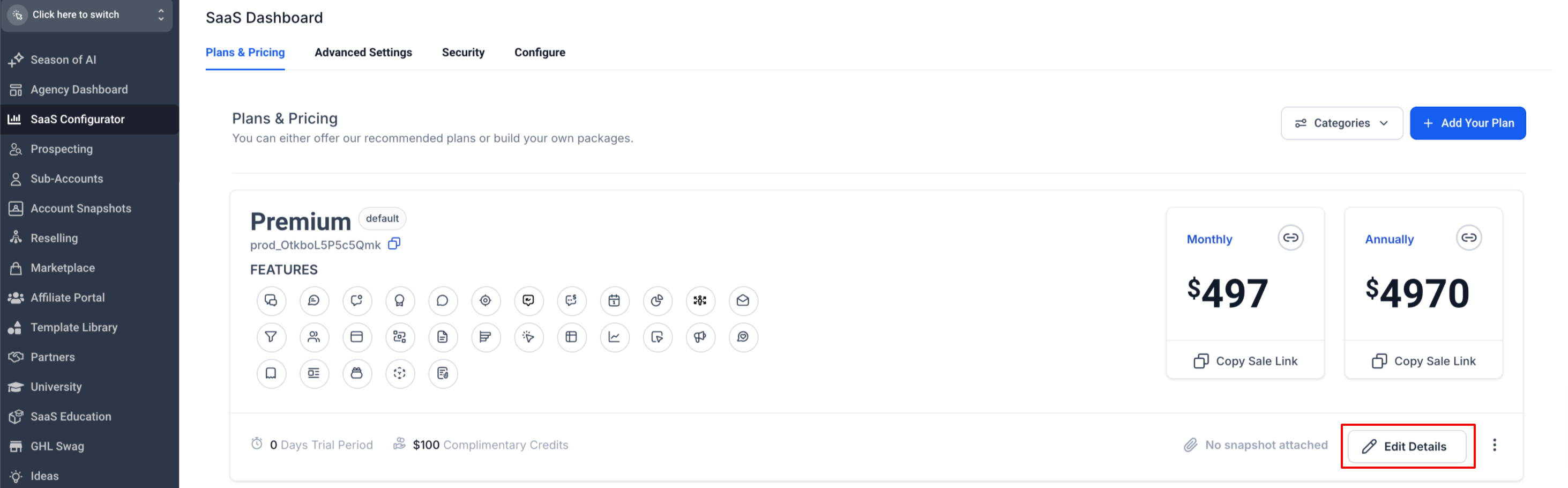
and go to the Addons tab under it: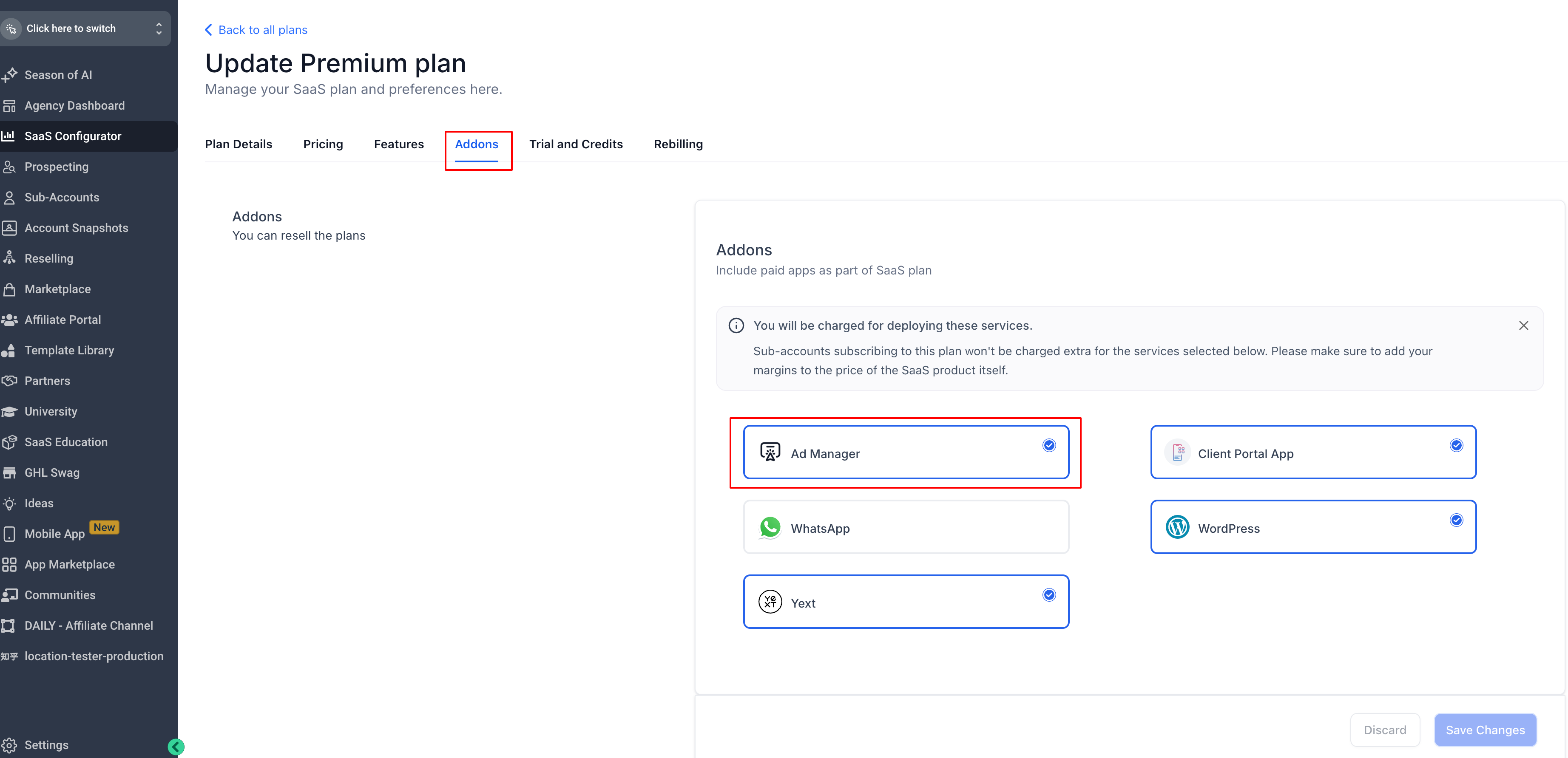
- Under the add ons tab, agency can select which reselling products they want to offer to their customers as part of this pricing plan.
Note: Ad Manager add on will be OFF by default and agency can select to enable it for any pricing plan they want.
How does It work? #
Here’s how the add on products behave in a SaaS plan:
Product Setup:
Agencies configure which reselling products they want to include in a SaaS plan.
Purchase and Activation:
When someone buys the SaaS plan, the system sends a message to the reselling service with all the details of the sale and configuration.
Subscription Creation:
The reselling service then creates subscriptions for each product that’s part of the SaaS bundle.
Important points to be noted #
1. Any changes in the bundle configurations will be applicable only to the sub-accounts created with respective SaaS plans in the future and do not impact the existing sub-accounts.
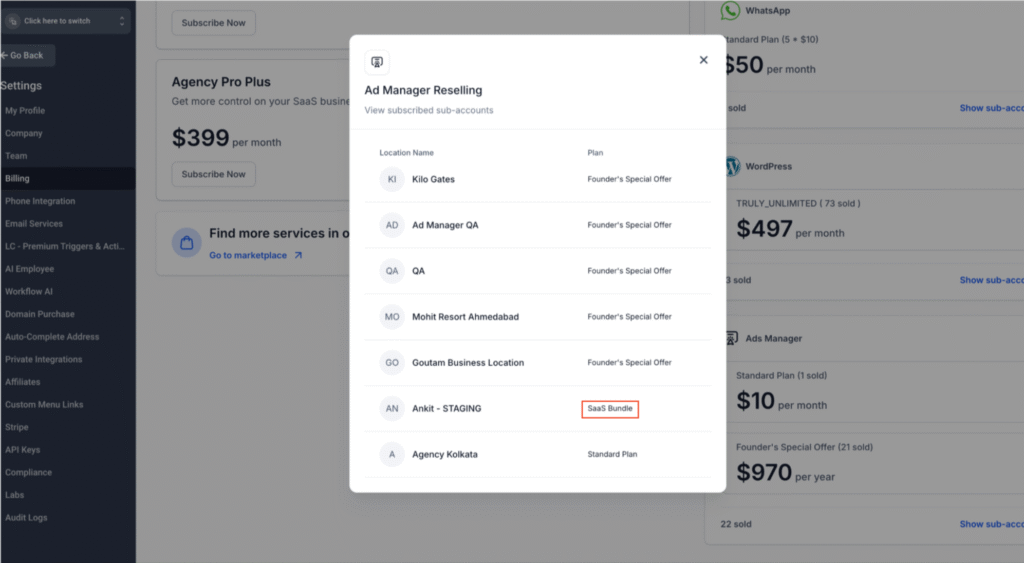
2. In agency billing section, locations that are subscribed to Ad Manager via SaaS plan will show as ‘SaaS Bundle’ instead of plan name.
3. SaaS plan subscription for sub-accounts is a monthly payment to the agency.
4. In scenarios where the sub-account cancels the SaaS plan, a prorated refund is initiated by the agency to the sub-account but the add on product subscription goes on, i.e. sub-accounts can go on to use Ad Manager even if they cancel the SaaS plan.

