
If you do not wish to use Zapier for Stage ID and Pipeline ID, in SalesKaki the only way to get that information is by exporting opportunities.
IMPORTANT: This article only provides guidance for finding the Pipeline and Stage ID using Zapier.
We do not support other third-party platforms or integrations for this purpose.
The steps outlined are specifically intended for use with Zapier only.
https://www.loom.com/share/b2c9c4490371412d9e8f42ebb89a8a44?sid=2655b73f-9ff9-4212-96fa-5f99b8c65e69
IMPORTANT: Stage name is enough to create opportunities so we dont really need the Stage ID anymore.
About pipeline ID and opportunity ID
So opportunity ID can be found in 2 other ways
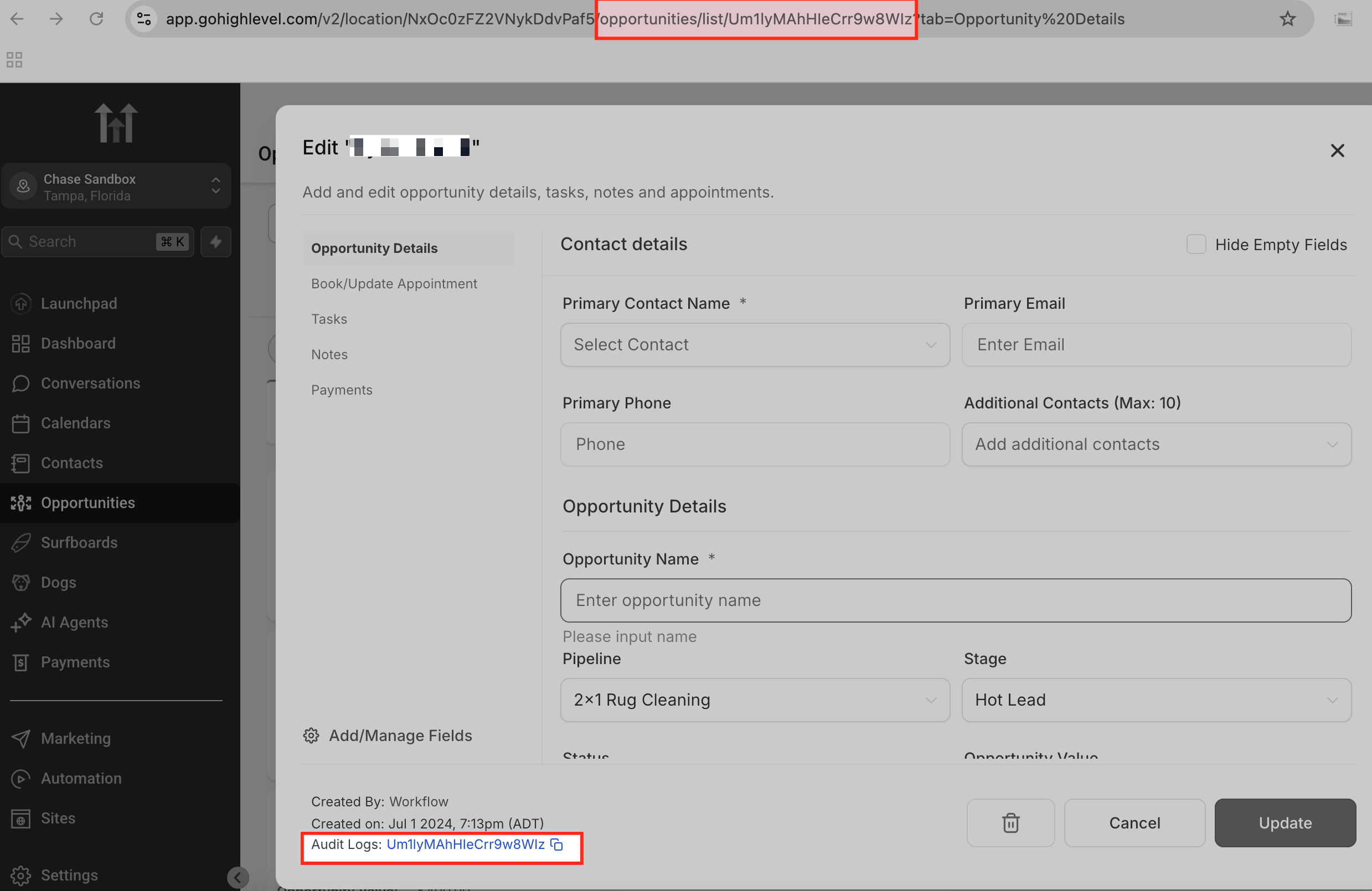
- By clicking on any opportunity modal, the opportunity id is mentioned in the bottom left. Refer to the text on the bottom left which looks like a link.
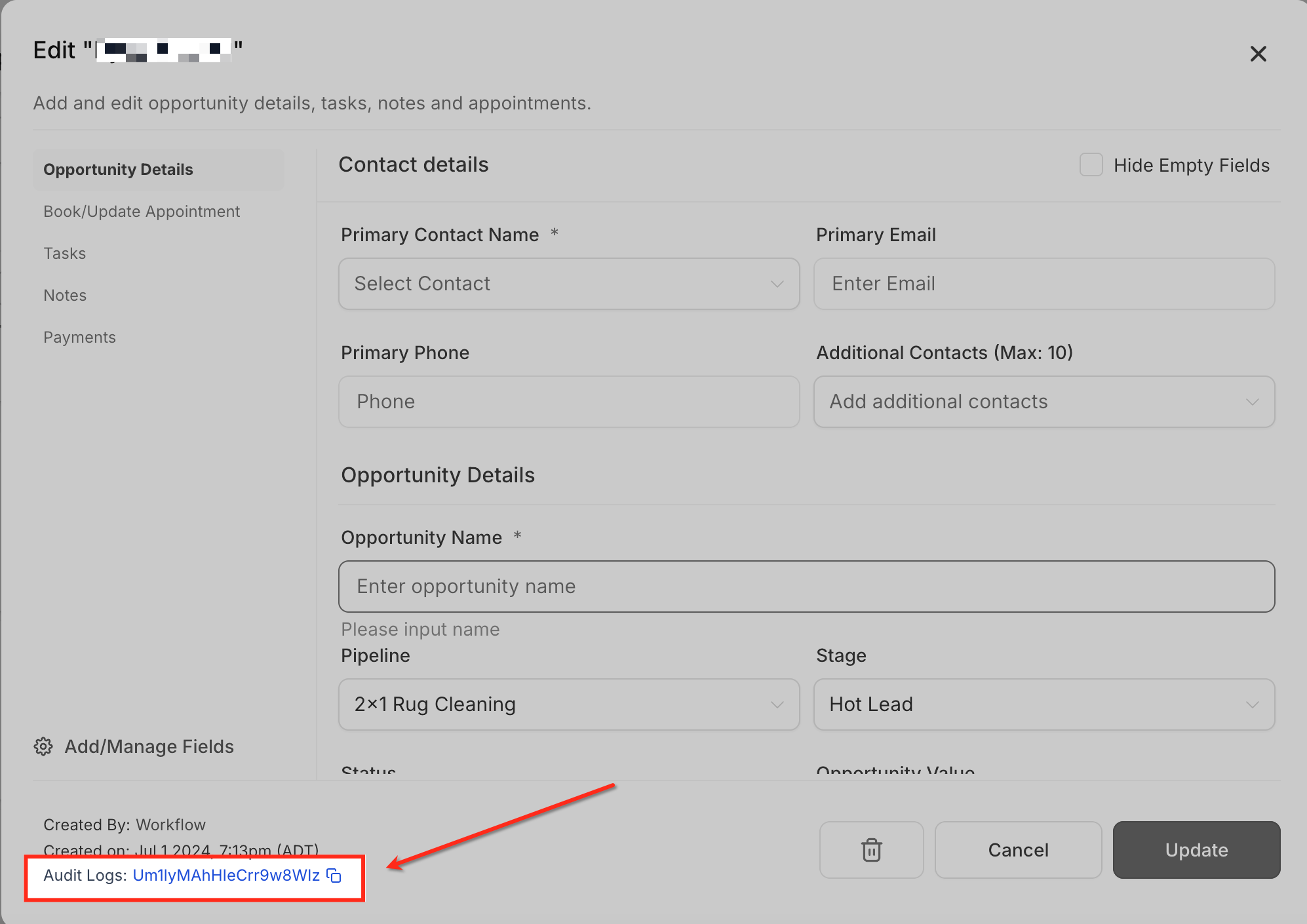
- it is also the end of the URL when you open an opportunity.
Uses of Pipleline ID and Stage ID #
- Pipeline ID can be used to check audit logs for any edits made to a certain pipeline
- Opportunity ID can be used for :
- Tracking activity in audit logs
- Redirecting user to a particular opportunity
- Updating an opportunity using import
Apart from this, all these IDs are also widely used in webhooks and APIs

