
Want to save time and engage affiliates automatically after a sale? The New Affiliate Sale trigger in Workflows lets you do exactly that. Whether it’s sending a congratulatory message or reminding an affiliate to add payout details—this trigger handles it all for you.
What is the New Affiliate Sales Trigger? #
The New Affiliate Sale trigger fires every time an affiliate successfully makes a sale—whether it’s a one-time, recurring, or manually tracked transaction.
You can use it to:
- Congratulate affiliates
- Notify customers
- Assign tasks
- Segment contacts
- And more—automatically
Filters available #
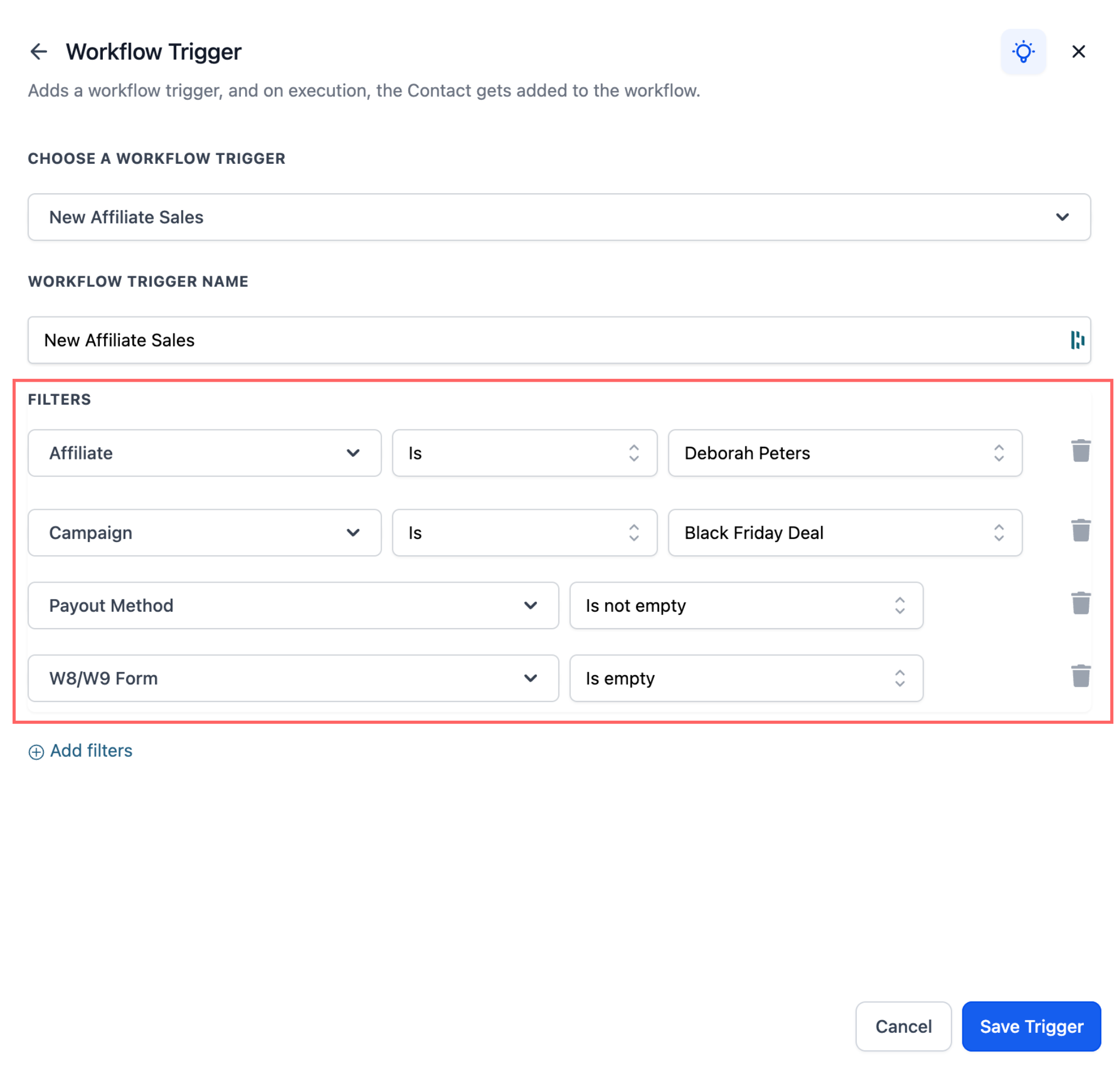
You now get extra control with these filters:
- ? Affiliate filter – Target specific affiliates
- ? Campaign filter – Trigger actions for sales from selected campaigns
- ✅ Payout method check – Trigger only if the affiliate has (or has not) added a payout method
- ? Tax form check – Trigger based on whether the affiliate has submitted tax forms
How to Set It Up #
To use the Affiliate Sales Trigger within your workflows:
- Go to Automations > Workflows
- Click Create New Workflow or open an existing one
- Add a trigger: search for New Affiliate Sale
- Apply optional filters (affiliate, campaign, payout method, tax form)
- Add actions (email, SMS, task, tag, etc.)
- Click Save
Popular Use Cases #
Here are a few examples of how to put the Affiliate Sales Trigger to use:
1. Congratulate the Affiliate #
- Why: Keeps affiliates motivated
- Example: Send an email: “Congrats on your recent sale! Keep up the great work!”
2. Remind Affiliates to Complete Payout Info #
- Why: Reduce payout delays
- Example: Send a reminder: “Update your payout method to receive your commission.”
3. Tag Customers from Affiliate Sales #
- Why: Segment affiliate-driven leads for future campaigns
- Example: Add tag: “Affiliate Customer”
By implementing these automations, businesses can create a seamless experience for both affiliates and customers, enhancing satisfaction, engagement, and performance.

