
Integrate Facebook & Instagram #
First, let’s get Facebook and Instagram working together within your CRM. This integration will be a game changer in how quickly and effectively you communicate with customers.
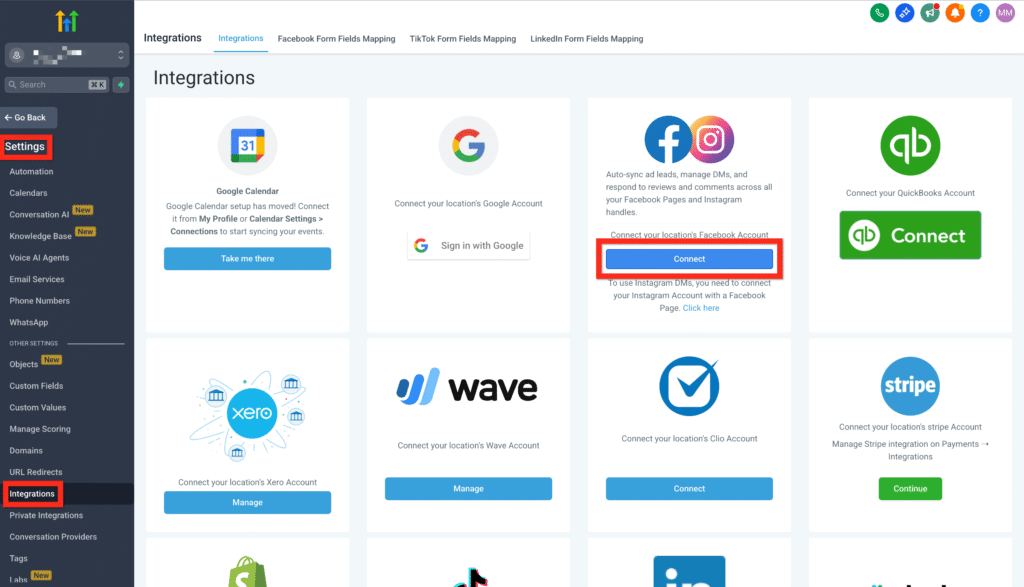
- Head over to Settings > Integrations.
- Click on Connect under Facebook & Instagram.
- Log in to Facebook and choose your Facebook page (make sure it’s the one connected to Instagram).
- Click Connect Facebook & Instagram.
- Lastly, hit Sync Leads.
Learn More
- Facebook Troubleshooting – Integration Issues
- Facebook Multi page Troubleshoot
- Facebook Pages missing in Manage Pages during integration
- Connect Instagram Business or Creator to Facebook (allows posting to IG)
Link Instagram to Facebook #
Now, let’s ensure Instagram and Facebook are fully linked so your messages flow seamlessly into one inbox. Trust us—this step will save you tons of time!
- Navigate to your Facebook account and log in to your page.
- Click on Account > Settings.
- Use the search bar to find Linked Accounts.
- Select Instagram and click Connect.
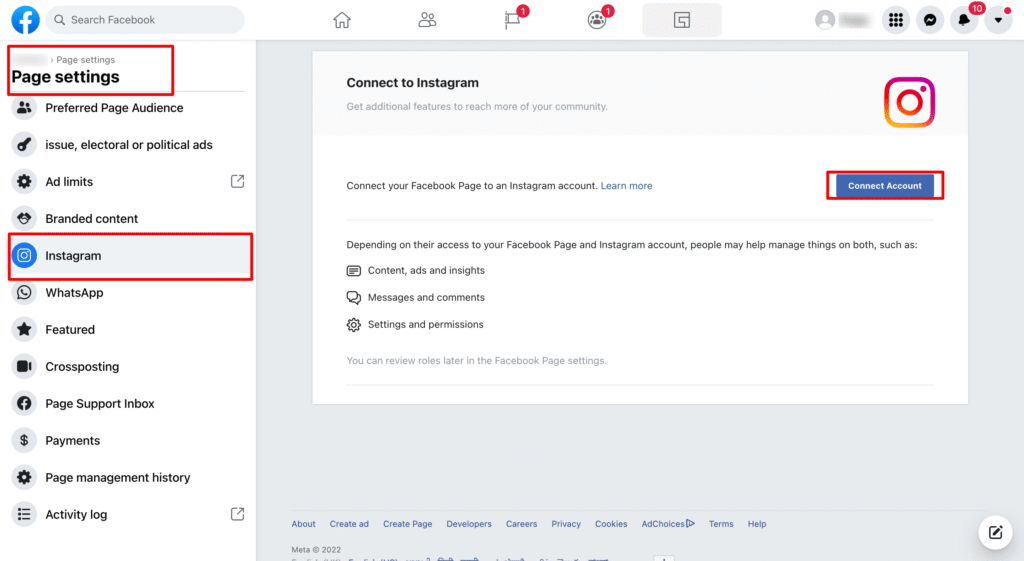
- Keep the toggle on to enable Instagram messages to appear in your inbox.
- Authenticate your Instagram login credentials.
Fantastic job! You’re now set up to effortlessly handle your social interactions. Next, consider testing the integration by sending a test message to confirm everything is working smoothly.

