
This article introduces new updates to review widgets, including the Floating Badge Widget, Slider Widget, advanced style customization, and fully configurable AI summaries — giving you more flexibility and control to showcase customer feedback in the most impactful way possible.
What’s New in Review Widgets? #
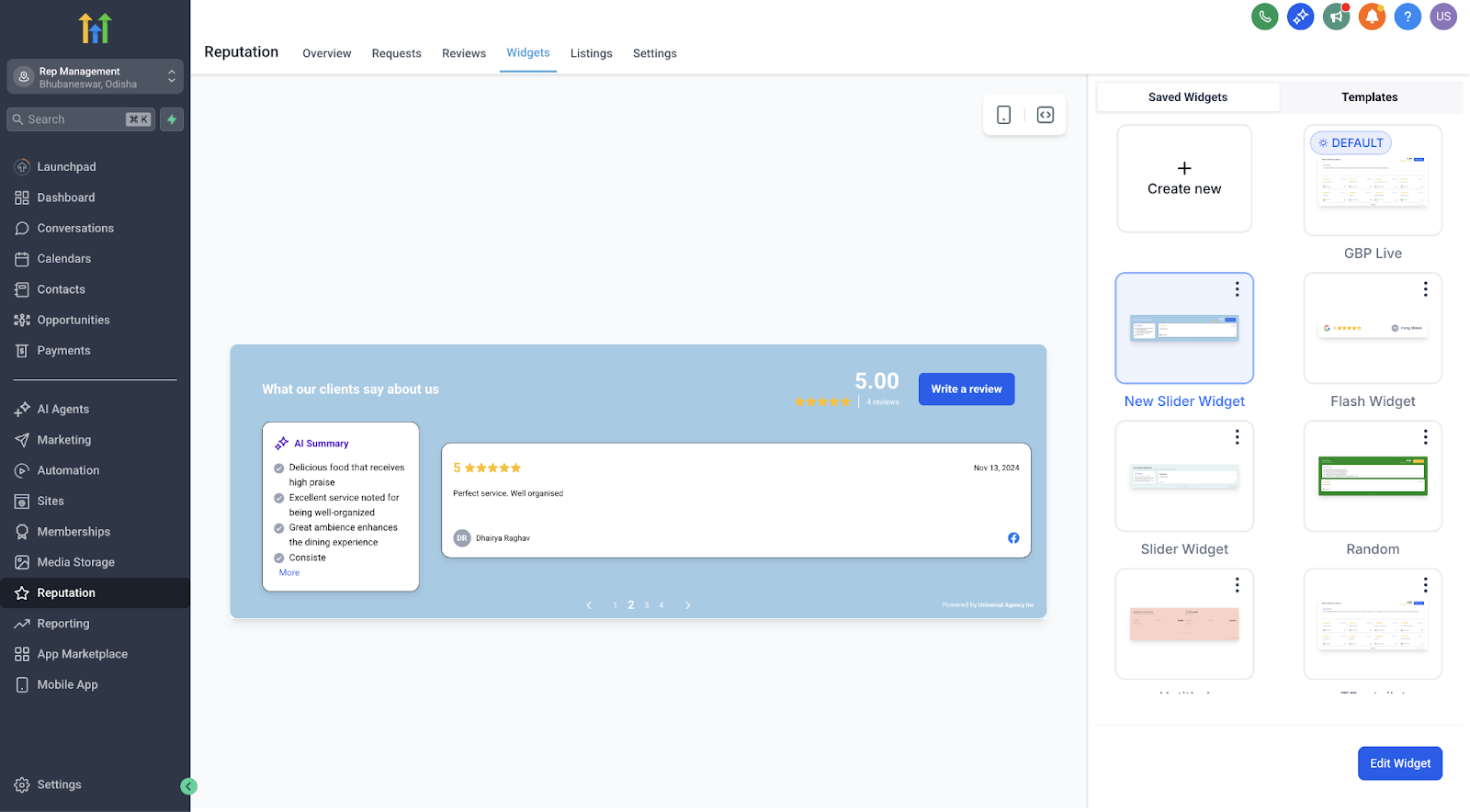
Review widgets have received a major upgrade, making it easier than ever to display testimonials that build trust and drive conversions. With new widget types, flexible AI summary options, and a full visual style editor, you can now create beautifully branded, engaging displays without writing a single line of code.
Key Benefits of the New Review Widgets #
These enhancements empower you to highlight customer feedback in more dynamic, on-brand ways — no design or technical skills needed.
- Highlight reviews anywhere on your site with flexible display options.
- Visually match your brand using deep style customization tools.
- Drive more conversions through sleek, engaging testimonial presentations.
- Save time with real-time previews and easy plug-and-play templates.
- Improve site performance thanks to optimized loading and smoother widget creation.
Floating Badge Widget #
The Floating Badge Widget is a minimal, always-visible badge that continuously rotates through your best reviews. This is perfect for discreet yet powerful social proof on any corner of your website.
- Choose placement: top or bottom, left or right.
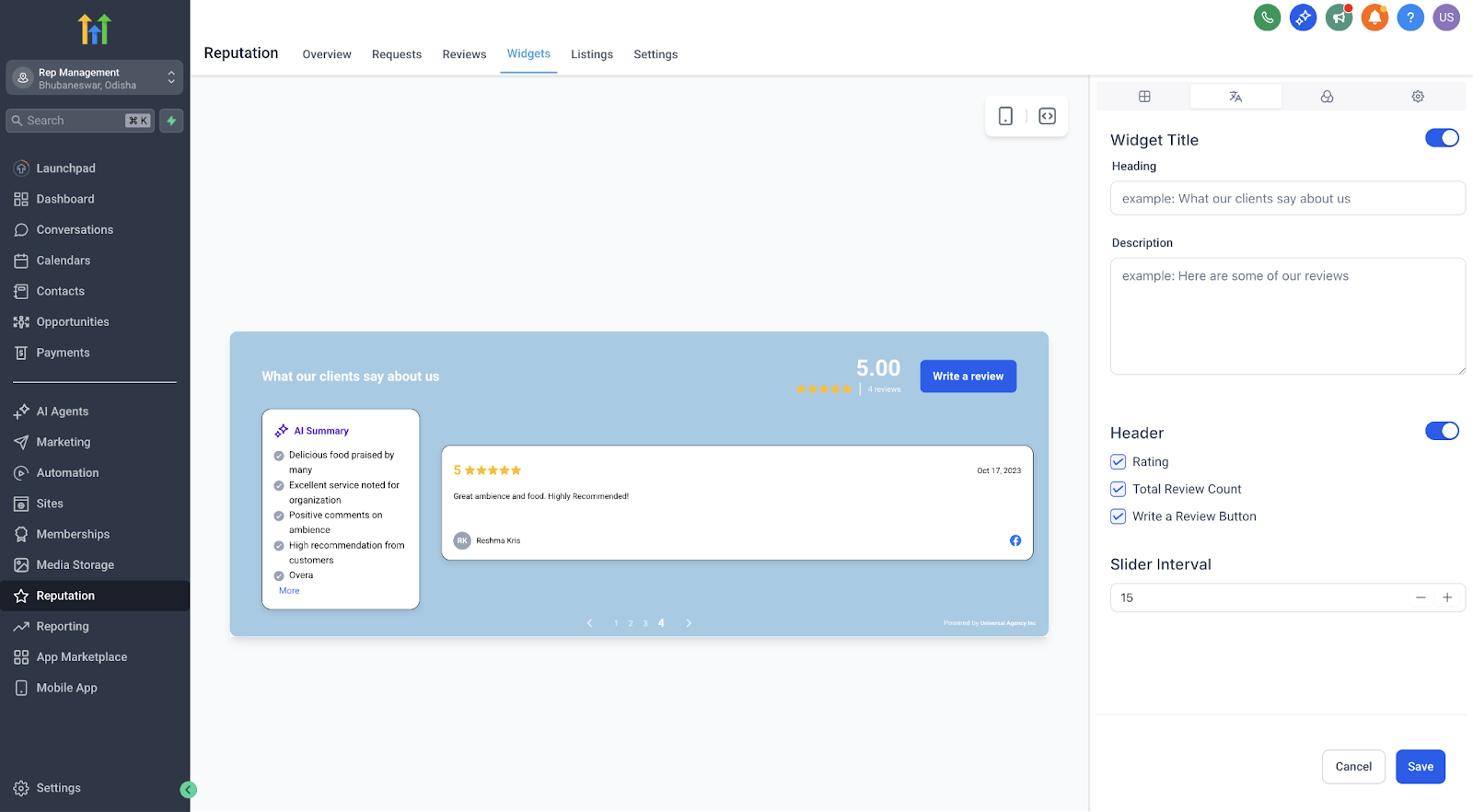
- Set the interval for how often reviews rotate.
- Keep your brand front and center without taking up page space.
Slider Widget #
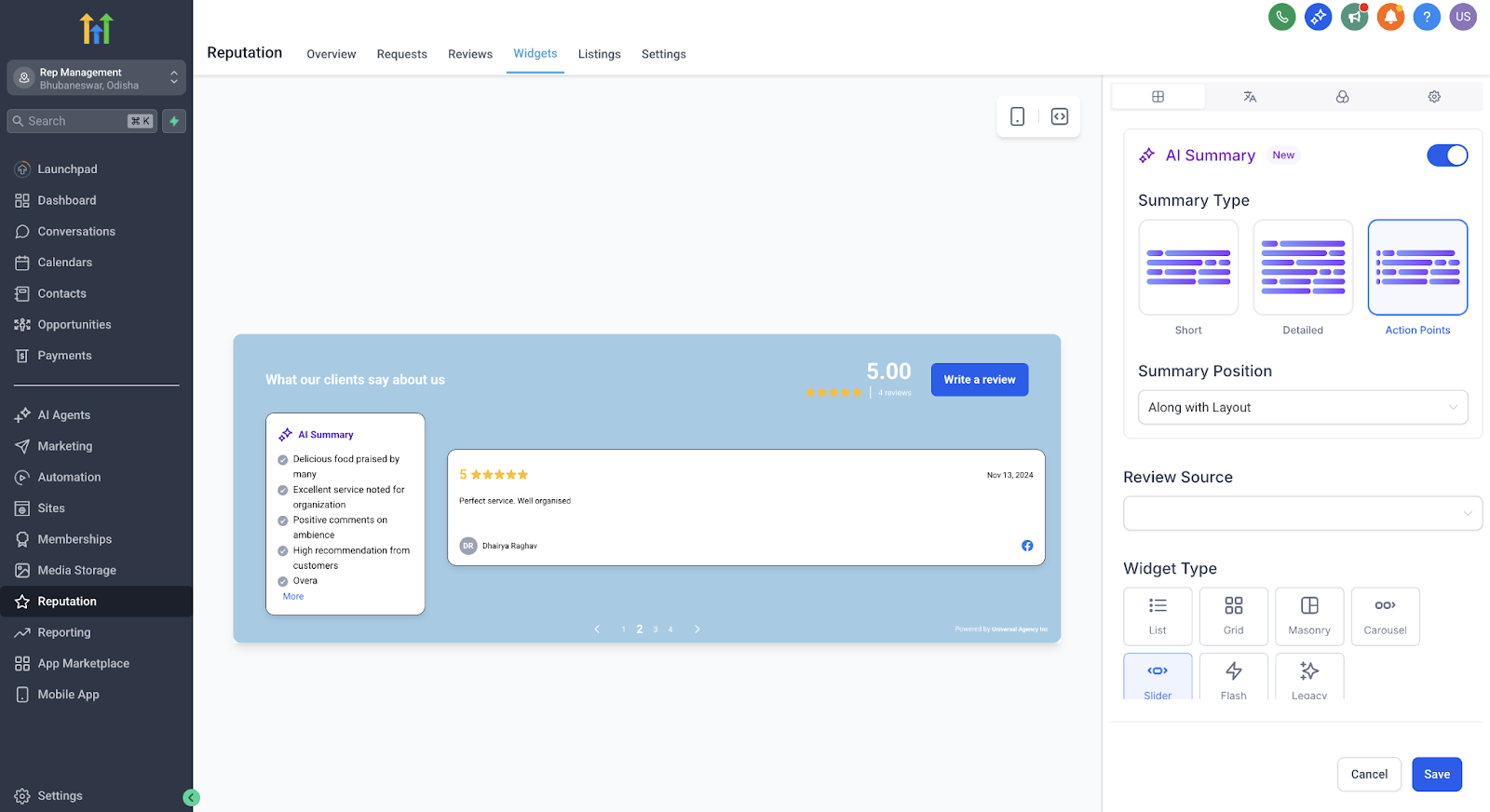
The Slider Widget allows you to display one review at a time in a smooth carousel format. It’s ideal for narrower spaces or pages where you want to focus on individual stories.
- Highlight one testimonial at a time for greater impact.
- Control the slide interval to match your page’s viewing flow.
- Great for hero sections, sidebars, or focused testimonial sections.
AI Review Summaries — Now Fully Configurable #
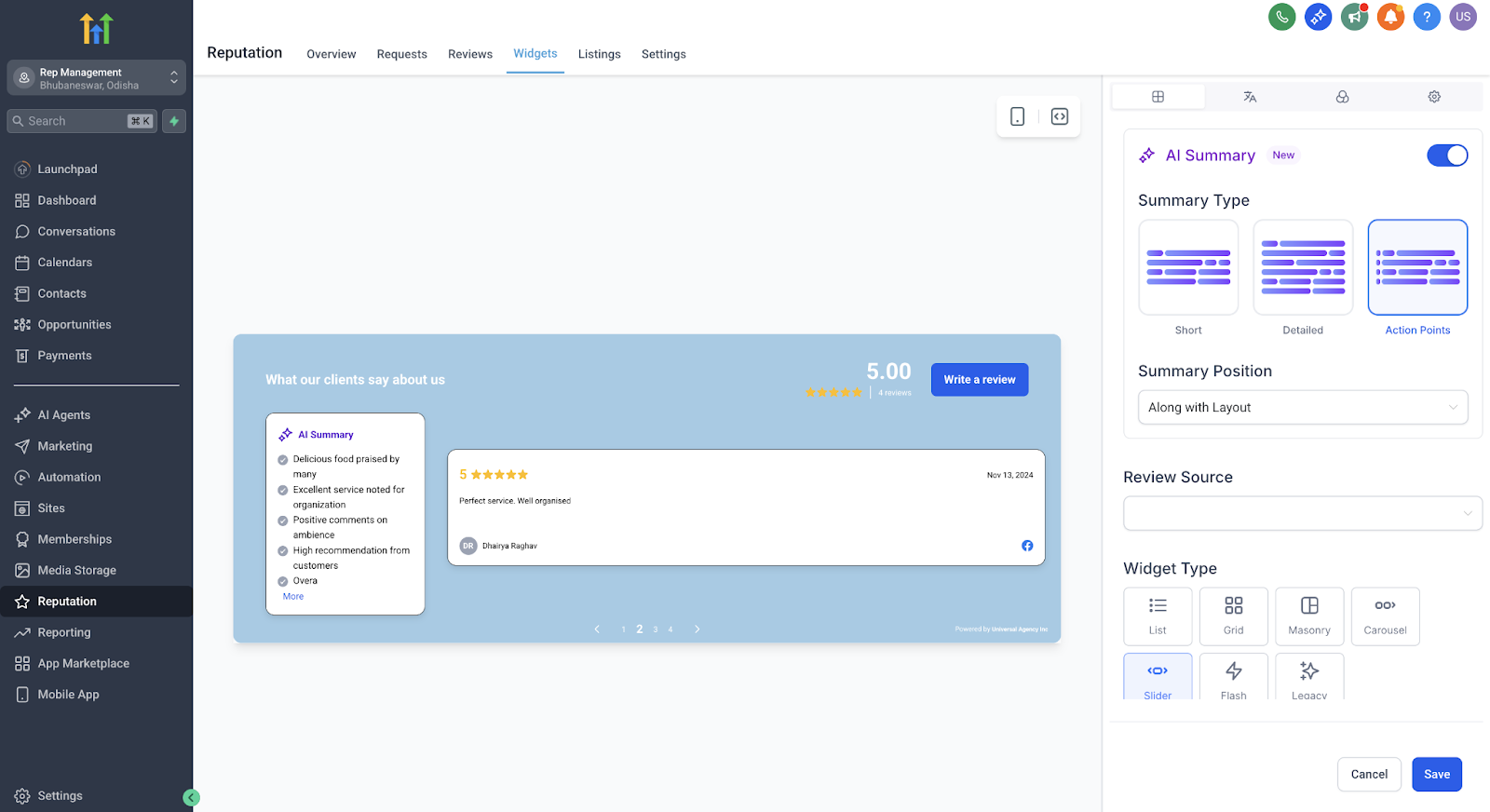
You now have full control over AI-generated review summaries to help visitors quickly understand key points from longer testimonials.
- Choose summary type:
- Short (1–2 sentences)
- Detailed (3–4 sentences)
- Action Points (bullet format)
- Decide placement:
- Top of the review
- Integrated within the review layout
- Helps highlight the most important takeaways and increases readability.
Using the Template Library and Style Customization #
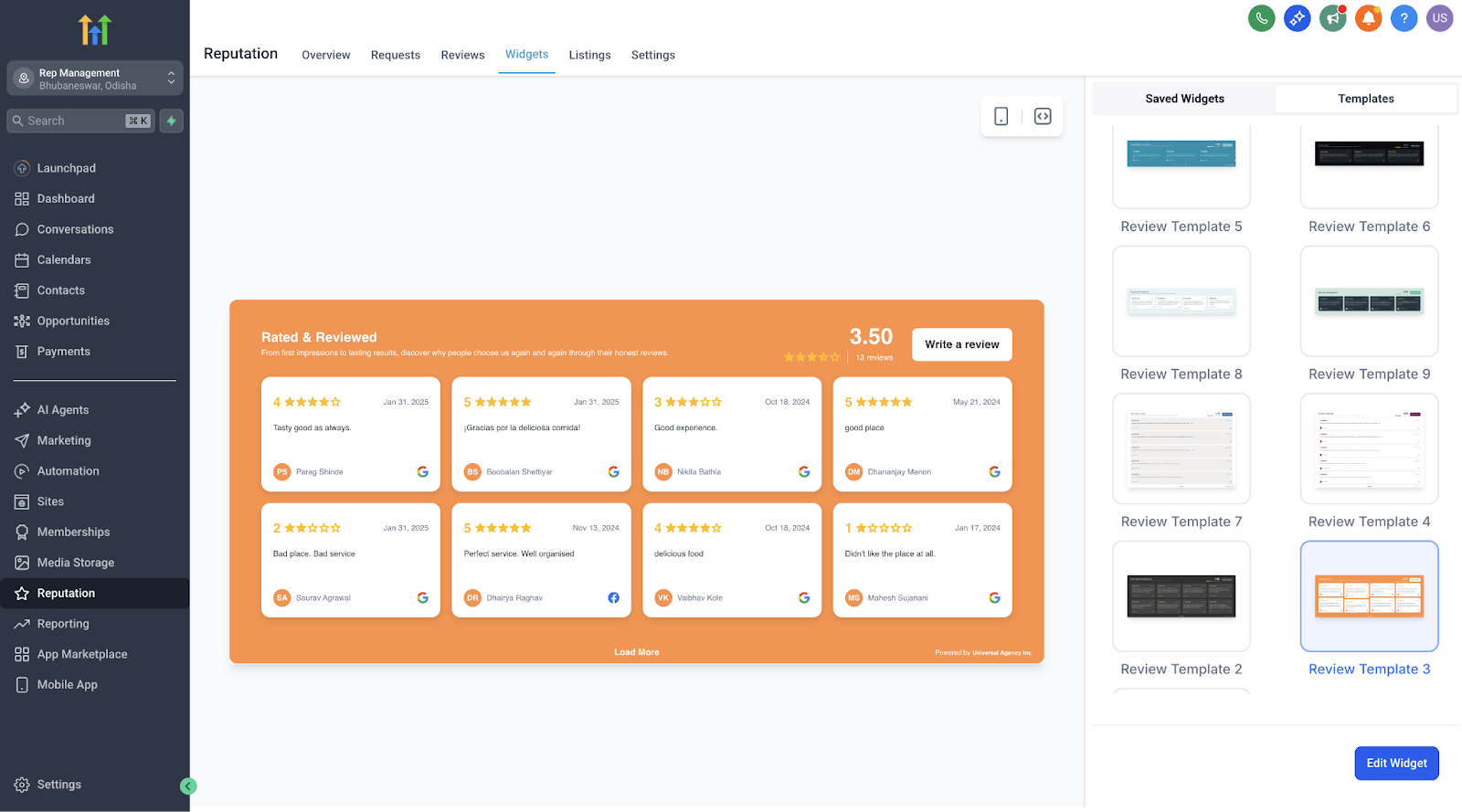
Choose from a growing library of beautifully designed templates or create your own custom design using the new visual style editor.
- Quickly swap between plug-and-play templates without coding.
- Customize colors for buttons, avatars, backgrounds, and summary text to perfectly match your brand.
- See changes instantly with the built-in real-time preview.
- No CSS or developer help needed.
How to Create and Customize a New Widget #
Setting up and customizing your new review widget is quick and straightforward.
- Go to Reputation → Widgets in your HighLevel account.
- Select an existing template or start from scratch.
- Choose your widget type: Floating Badge or Slider.
- Set review rotation or slide intervals to match your site experience.
- Choose your AI summary type and placement preferences.
- Use the style editor to visually customize elements to fit your brand.
- Preview your changes in real time.
- Click Publish to activate your new widget on your site.
Important Notes #
- These new widget options are fully optimized for faster loading and smoother performance across devices.
- Design bugs and inconsistencies from previous versions have been fixed to ensure a more reliable display.
- Once published, you can edit or update widgets anytime — no need to start from scratch.
Frequently Asked Questions #
Q: Can I use more than one widget on the same page?
Yes! You can add multiple widgets (e.g., a Floating Badge and a Slider) to the same page to highlight reviews in different ways.
Q: Do I need any coding knowledge to customize?
No coding skills are required. All styling and customization are fully visual.
Q: Can I change the widget type after publishing?
Yes. You can switch between widget types and update designs at any time.
Q: Will AI summaries update automatically if a review is changed?
Yes. The summaries will dynamically adjust to reflect any edits to the original review.
Next Steps #
- Create your first Floating Badge or Slider Widget and embed it on your website.
- Test different AI summary configurations to see which format best engages your visitors.
- Customize your widget styling to match your brand identity and improve overall site cohesion.

