
AI-Powered Review Summaries help users quickly understand customer sentiment across all connected locations by generating smart, theme-based summaries of reviews. This guide walks you through how to access, filter, refresh, and control the AI summaries. If you’re looking to get high-level insights from customer feedback without reading every single review, this doc is for you.
AI Review Summary Overview: #
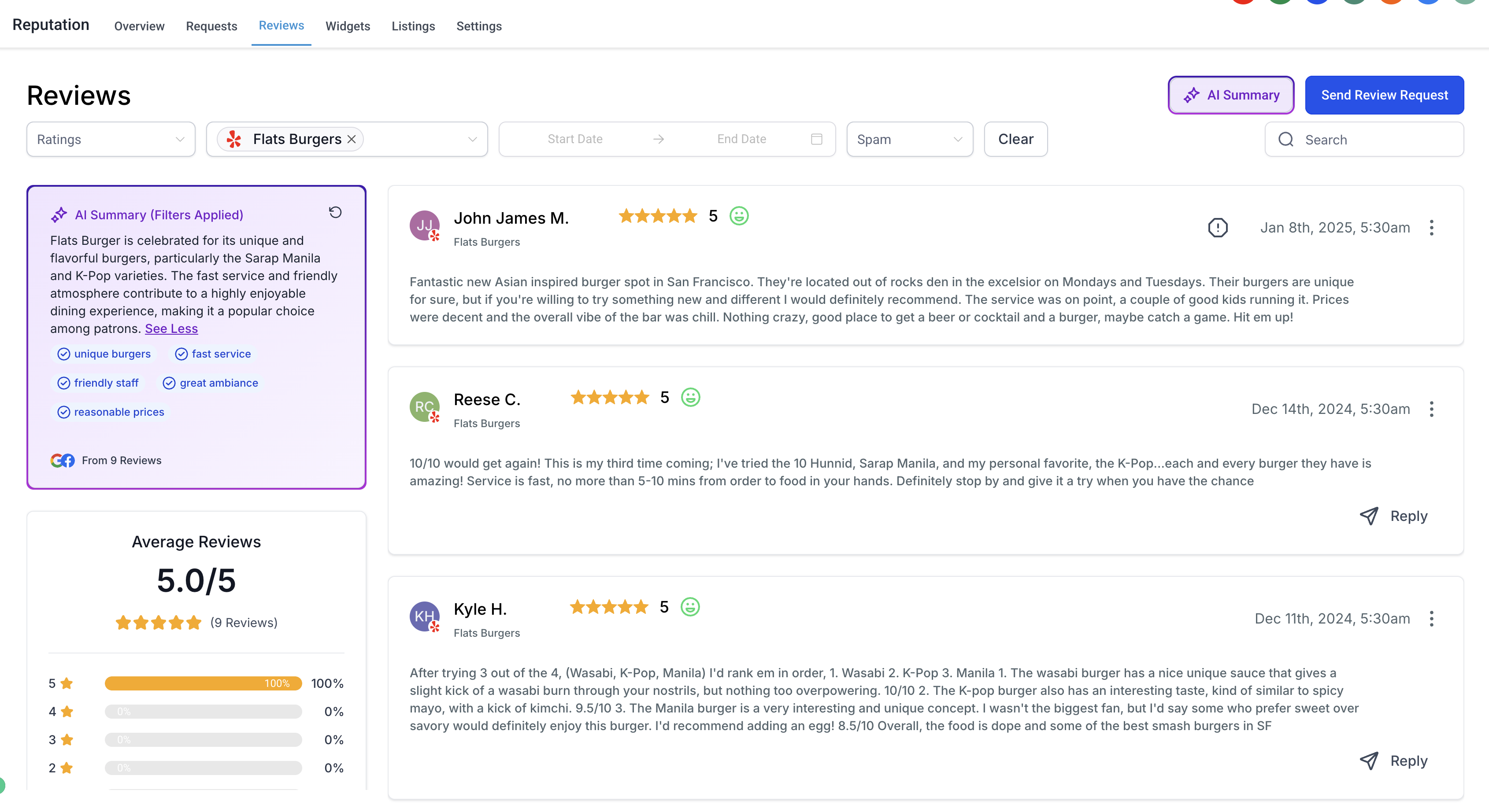
The AI Review Summary is a smart, auto-generated summary of all your reviews, across all connected pages. By default, summaries are visible for every user with connected locations.
You’ll see:
- A short or detailed paragraph describing overall customer sentiment
- The most common themes and feedback patterns
- Highlight tags summarizing key review topics (like “great staff” or “slow service”)
These summaries help save time and reveal trends instantly — especially useful for multi-location businesses.
Filtering by Location & Time: #
To get focused insights, use the filter controls above the summary:
- Location Filter – Select one or more pages (locations) to narrow the summary
- Date Filter – Set a custom timeframe to view reviews and summaries from a specific period
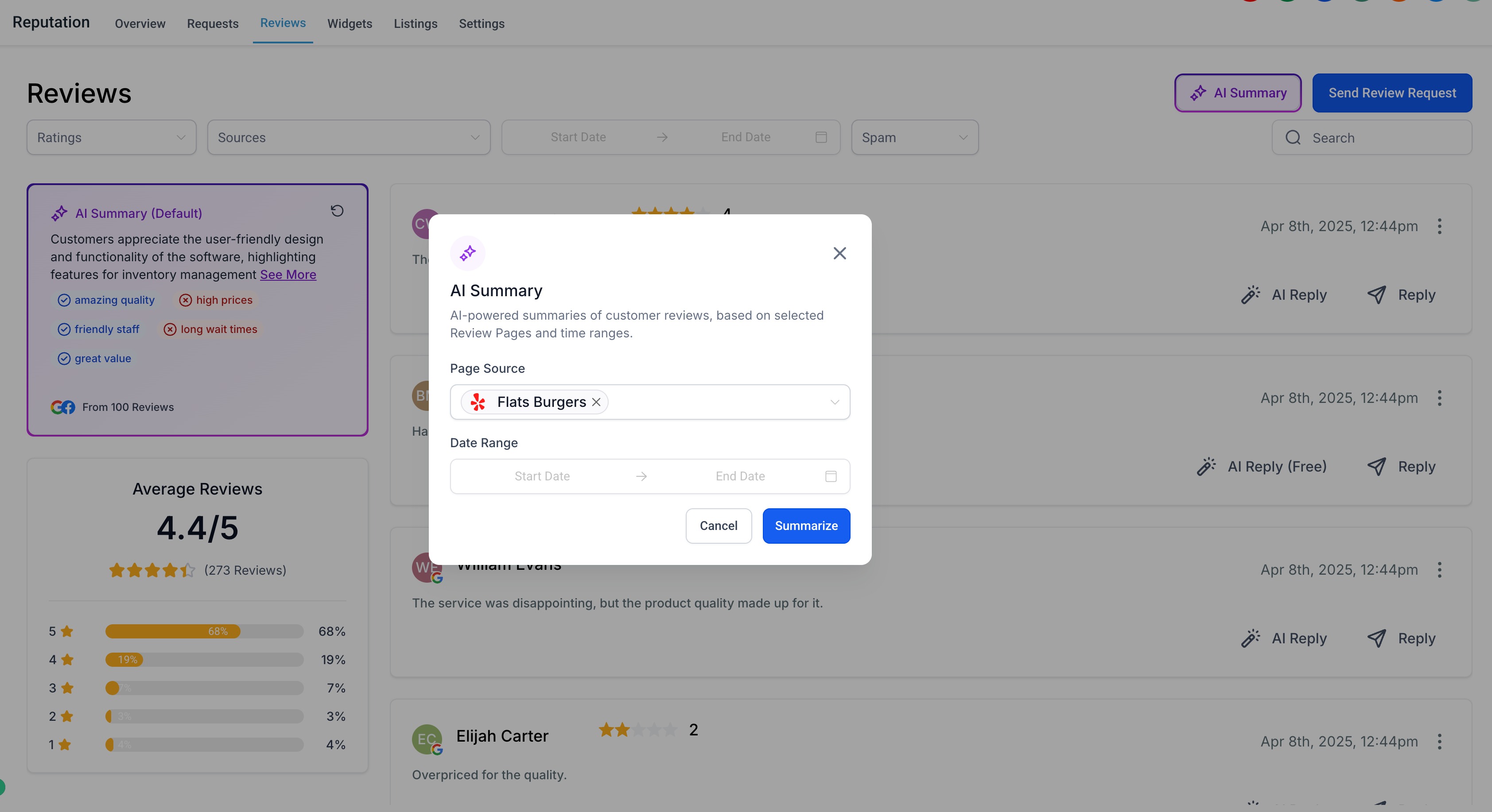
Example: Want to know what customers were saying last quarter at your Austin location? Set the page and date filter accordingly — your summary will instantly reflect that.
Summary Highlight Tags: #
Each summary is accompanied by highlight tags, which are AI-generated keywords or short phrases that represent recurring themes in your reviews.
These include:
- Sentiment tags: “Great service,” “Rude staff,” “Fast response”
- Topic tags: “Booking system,” “Parking,” “Cleanliness”
These tags update dynamically based on your selected filters.
Refreshing the Summary: #
If you’ve added new reviews or changed filters, you can refresh the AI summary at any time:
- Click the ? Refresh icon next to the summary title
- The AI will regenerate the summary using the most current data and filters
- Updated highlight tags and sentiment will appear automatically
Coming Soon: Sub-Account Permissions #
Agencies will soon be able to enable or disable AI summaries for specific sub-accounts. This gives you control over which clients can access AI-generated insights, based on their use cases or preferences.

